A clean list every morning. An AI partner when you’re stuck.

Most task apps let yesterday’s unfinished work pile into today. Vague tasks sit for weeks because you don’t know where to start. Ember fixes both — your list resets every morning so you start clean, and when a task feels too big or unclear, hand it to AI. It asks the right questions, helps you scope it, and gets you moving.

Two views: Now and Next. That’s the whole system.

Ember app dashboard

You’re managing your task app instead of your tasks.

You open your task app Monday morning. Fourteen items in your “today” view. Five are from Friday. Three are from last week. You spend the first ten minutes reorganizing, not working.

And that research task you added two weeks ago? Still sitting there — too vague to start, too important to delete. The app never forgets, never lets go, and never gives you permission to start clean.


Every morning, a clean slate.

Unfinished tasks move from Now to Next overnight. When you open Ember, Now is empty. You look at Next and pull back only what matters today. Not yesterday’s leftovers forced on you. Your deliberate choice, made with fresh eyes.

Some days that’s two tasks. Some days it’s eight. But it’s always your call.

Yesterday’s leftovers don’t get to decide what matters today.

Daily reset flow — tasks move from Now to Next overnight

Stuck on a task? Hand it to AI.

“Research venue options for team offsite” has been sitting in your list for a week. Not because it’s hard — because it’s vague. You don’t know where to start.

Tap delegate. Next time you open your AI assistant, it picks up the task and asks what you actually need — what city, how many people, what’s the budget. The conversation is the on-ramp. You’re already in it before you realize you’ve started.

Tag it, don’t prompt it.

One tap during your normal task review. No separate chat window, no blank prompt to stare at.

The agent helps you think.

It asks clarifying questions that scope the work. Vague becomes clear. Broad becomes actionable.

Works with your AI tools.

Claude, ChatGPT, Cursor — delegate from Ember, converse wherever you already work.

Learn more about Ember AI
AI delegation — hand off a task to your AI agent

Notes-app simplicity. Task-app power.

Everything you need. Nothing you don’t.

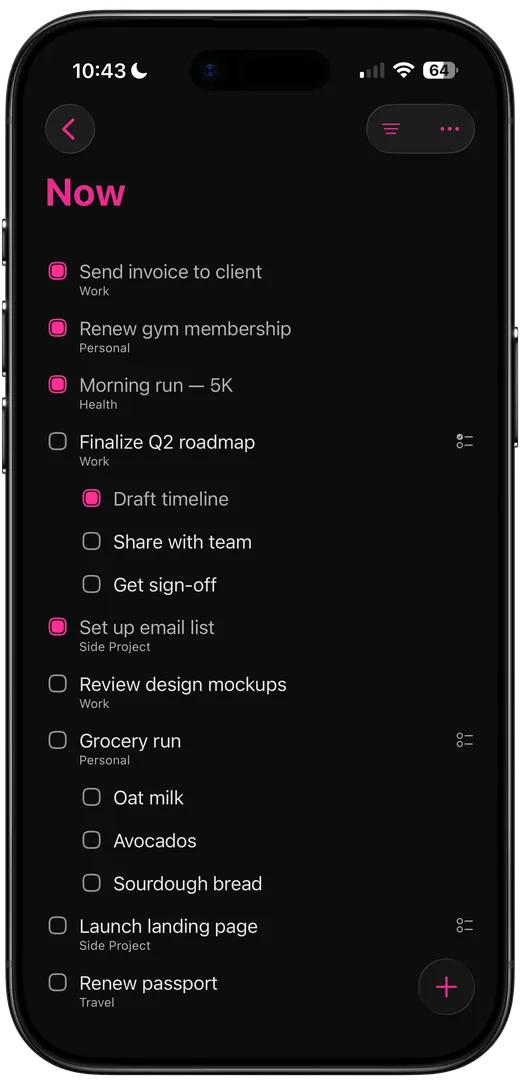
Now

Now view showing today’s focused tasks

Your focus list. Only what matters today. Open the app and you see exactly what needs doing right now — nothing else competing for attention.

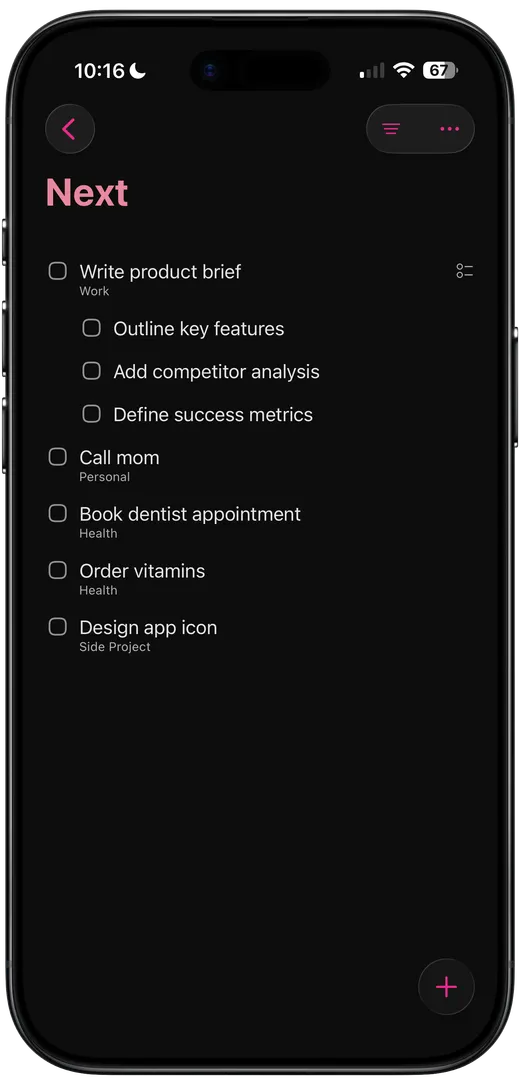
Next

Next view showing upcoming tasks

What’s important but not yet. Park tasks here until you’re ready. Swipe to move them to Now. A personal Kanban without the board.

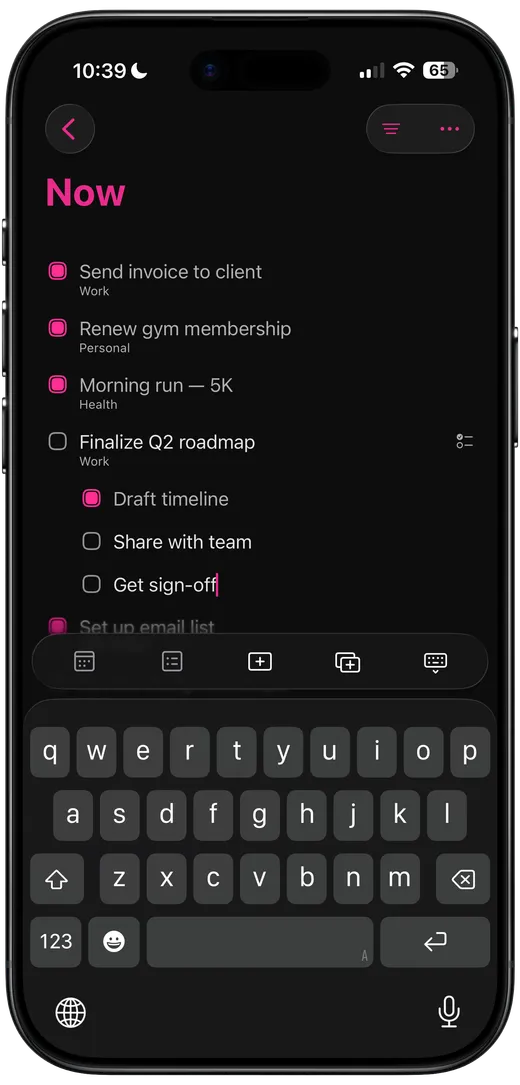
One-Tap Capture

One-tap task capture with keyboard

Press plus. Start typing. Press return for the next task. Keep going. No modals. No “save” buttons. No three-step flows. Brain dump like you’re writing notes, but it’s actually a task manager underneath.

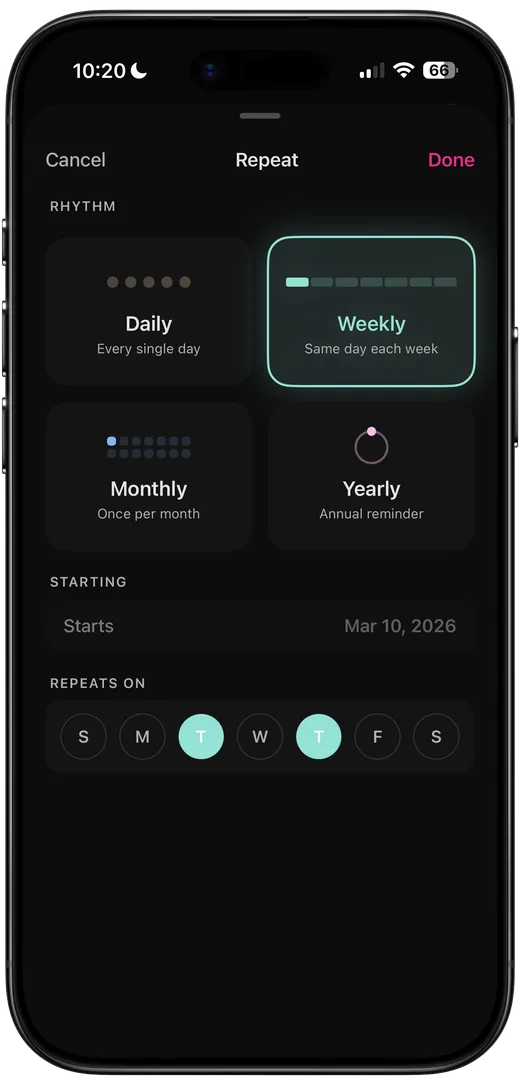
Repeating Tasks

Repeat task configuration

Daily, weekly, monthly, yearly or twice a week, every other Friday, whatever cadence you need. Tasks appear in Now when they’re due. Finish early? It automatically reschedules the next one.

Lists + Views

Lists and views

Lists hold your tasks (Home, Work, Finances). Views show you what to focus on (Now, Next, Upcoming). Pull tasks from any list into Now when you’re ready to work on them. Organization without overhead.

Now view showing today’s focused tasksNext view showing upcoming tasksOne-tap task capture with keyboardRepeat task configurationLists and views

Built for how your brain actually works

Most task apps make you manage the app instead of your tasks. Ember gets out of the way.

No Friction

Capture should be instant. One tap, start typing, done. If adding a task takes more than 2 seconds, you won’t do it and you’ll forget what you were going to add.

No Decisions

Now or Next. That’s it. No priority levels, no color-coded tags, no “which project does this belong to?” Binary choices are easier to make.

No Overwhelm

Now shows what you’re doing. Next holds what’s coming. Upcoming handles the future. You only see what’s relevant right now.


Make it yours

Themes, fonts, and accent colors that let Ember feel like it belongs on your phone.


From the Ember blog

Thoughts on productivity, AI workflows, and building a task app that respects your time.

Visit the blog
Mar 22, 2026

AI That Follows Your Rules, Not the Other Way Around

Most AI features ask you to trust the algorithm. Ember's delegation system constrains the agent with your existing structure — it follows your priorities, asks before acting, and stays within bounds.

Mar 22, 2026

Bring Your Own Agent

Most AI task apps ship a chatbot. Ember ships a protocol. Connect the agent you already use — with your workspace, your tools, your context — and let it work your task list.


Ready to actually use a task app?

Ember is live on the App Store. Download it now for iOS.

Scan to download Ember from the App Store Scan to download
Download on the App Store